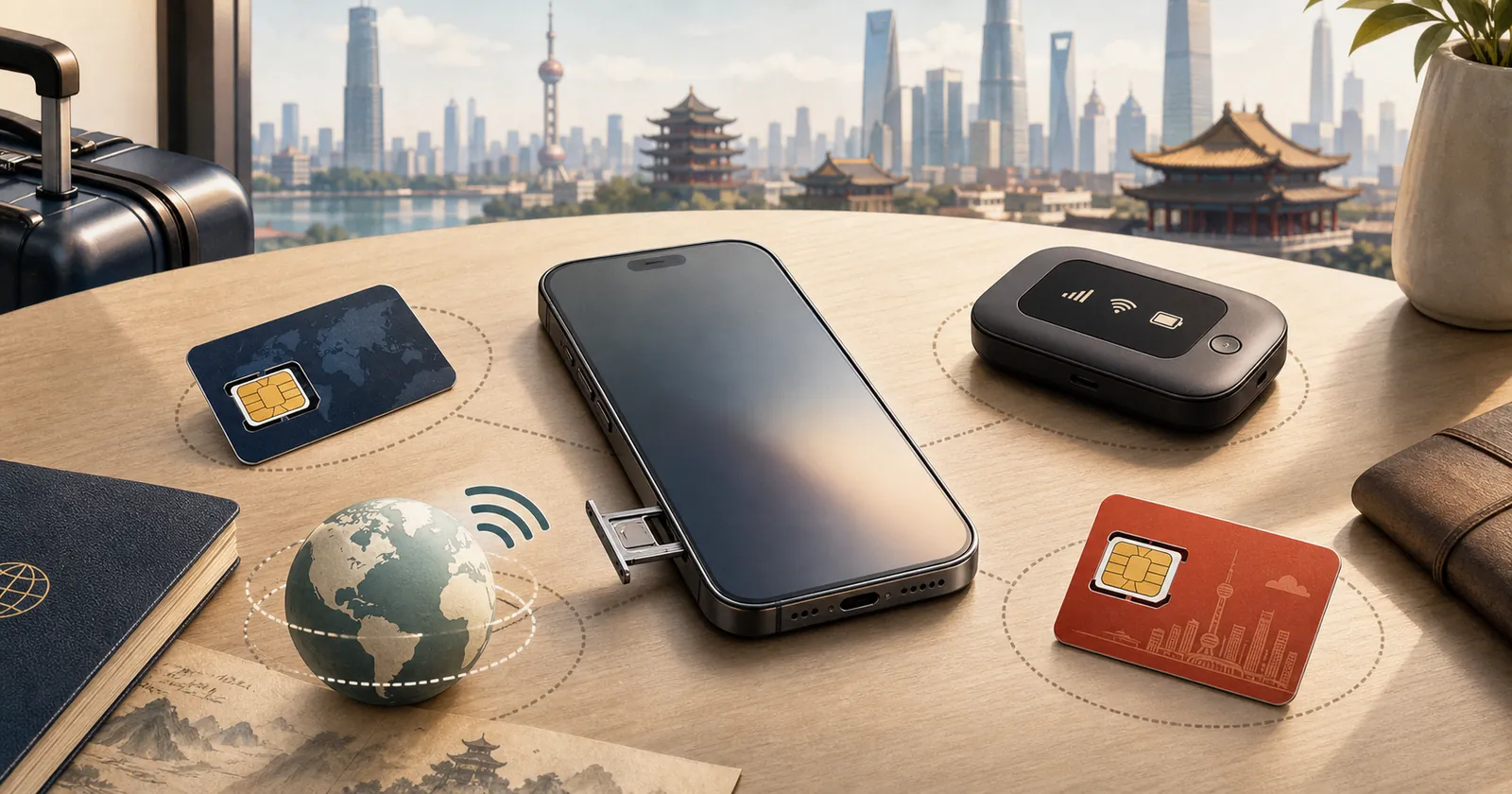
If your phone does not support eSIM, you do not need to buy a new phone just to stay connected in China.
For a short tourist trip, choose one of these as your primary mobile connection:
- Add a China roaming pass to your normal mobile plan.
- Buy a physical travel SIM that explicitly covers mainland China.
- Rent pocket Wi-Fi if several people will stay together.
- Buy a mainland Chinese SIM after arrival if you need a local number.
Do not treat a VPN as a replacement for mobile data. A VPN can be useful on hotel or office Wi-Fi, for laptop work, or for specific international services, but it cannot connect an offline phone to a mobile network.
Quick answer
| Option | Best for | Main advantage | Main limitation |
|---|---|---|---|
| International roaming | A short trip when your home carrier has a reasonable China pass | Uses your existing SIM and phone number with minimal setup | Price, data allowance and hotspot rules depend on your carrier |
| Physical travel SIM | An unlocked phone with a physical SIM slot | Can be arranged before departure and avoids eSIM compatibility | May be data-only; China coverage and routing must be checked for the exact plan |
| Pocket Wi-Fi | A family or group that will usually stay together | Several devices can share one connection | Extra device to carry and charge; everyone loses access if separated from it |
| Mainland Chinese SIM | Longer stays or travelers who specifically need a +86 number | Local calls, SMS and a mainland number | Requires in-person identity checks and does not replace a separate plan for international work tools |
| Another person’s hotspot | A child or companion who will not travel independently | No additional plan to configure | Poor as the only connection for payments, maps or rides when the group splits up |
For most one- to three-week visitors, start by comparing home-carrier roaming and a physical travel SIM. Pocket Wi-Fi is a reasonable group option. A local SIM is most useful when the local phone number itself solves a real need.
First, confirm what your phone actually supports
Do not rely only on a phone model name. Regional variants of the same model can have different SIM hardware, and carrier-sold phones can be locked.
Check four things before buying anything:
- eSIM support: Look in the mobile-network settings for an option to add or download an eSIM, then confirm the exact model number on the manufacturer’s support page.
- Physical SIM slot: Check whether the phone has a removable SIM tray and which card size it accepts.
- Carrier lock: Ask your home carrier whether the phone can use a SIM from another provider. Apple says an unlocked iPhone shows “No SIM Restrictions” under Settings → General → About → Carrier Lock. Google likewise notes that a SIM-locked Pixel can use only the locking provider until it is unlocked.
- Network compatibility: Ask the physical-SIM provider to confirm that your exact phone model and regional variant can use its partner networks in mainland China.
If your phone turns out to support eSIM, compare familiar travel providers such as Airalo, Nomad, Holafly, Saily and Trip.com by data allowance, validity, hotspot rules, routing and support—not only by the lowest price. See our current China eSIM comparison.
If the device truly does not support eSIM, the rest of this guide is for you.
Option 1: use international roaming from your home carrier
International roaming is usually the least complicated choice. You keep the same physical SIM, phone number and account, then activate a China pass or roaming package before departure.
It is a strong option when:
- Your trip is short.
- The carrier publishes a clear mainland China allowance.
- You need to keep receiving calls or SMS on your normal number.
- You prefer one support contact and no SIM swap.
Before buying, confirm the destination is listed as mainland China, not just “Asia,” Hong Kong or Macao. Check the total data allowance, speed reductions after a threshold, hotspot policy, voice and SMS charges, start time, renewal behavior and overage rules.
Apple’s current travel guidance also tells users to check international roaming and travel-pass options with their carrier before departure. The same practical rule applies to Android phones: the carrier, plan and device must all be compatible.
Roaming is convenient, but it is not automatically the best value. Compare the total trip cost with a physical travel SIM, especially if you expect to use video, cloud photo backup or a laptop hotspot.
Option 2: buy a physical travel SIM before departure
A physical travel SIM is the closest substitute for a travel eSIM. It can be useful when your phone is unlocked, has a SIM tray and accepts a second provider’s card.
Treat “Asia SIM” as a label, not proof that it fits your trip. For the exact plan, verify:
- Mainland China is included.
- The activation and expiry rules match your travel dates.
- The data allowance is enough for your itinerary.
- Hotspot or tethering is permitted if you need it.
- The plan includes a phone number, or is data-only.
- The provider explains how international apps are routed in mainland China.
- Support is available if activation fails after arrival.
Do not assume every physical travel SIM gives you a mainland +86 number. Many are roaming products and may be data-only or use a number from another market.
If your phone has only one physical SIM slot, removing your home SIM can also remove easy access to bank messages and two-factor authentication SMS. Save recovery codes, use an authenticator app where possible, and keep the home SIM somewhere secure. If you need to swap it back temporarily, do so in a controlled place rather than on a street or station platform.
Option 3: rent pocket Wi-Fi
Pocket Wi-Fi is a small portable router. It connects to a mobile network and creates a Wi-Fi network for your phones, tablets and laptops.
It can make sense for:
- A family that stays together most of the day.
- Several devices that need light or moderate data.
- A traveler whose phone is locked but can still join Wi-Fi.
- A laptop user who wants a separate connection from the phone.
Its main weakness is operational rather than technical. Someone must carry and charge it. Everyone must remain close enough to connect. If the group separates, the person without the router may lose maps, payment access, translation, ride-hailing and messaging at the same time.
Before renting, check pickup and return locations, deposit rules, battery life, charging cable, data or speed limits, mainland China coverage and what happens if the device is lost. Also ask whether its routing supports the international services you need; “Wi-Fi in China” does not by itself answer that question.
Carry a power bank and save the network name and password on every device before leaving the airport or hotel.
Option 4: buy a mainland Chinese SIM after arrival
China’s official guide says foreigners can take a passport or Foreign Permanent Resident ID Card to a service office of China Telecom, China Mobile or China Unicom to apply for a SIM and activate mobile service.
A local SIM is useful when you need:
- A mainland +86 phone number.
- Local calls or repeated Chinese SMS messages.
- Local services that are easier with a Chinese number.
- A longer-term connection rather than a short roaming product.
For a short holiday, the in-person setup can be less convenient than roaming or a physical travel SIM. Plan to use an official operator service office, take your passport, and ask staff to write down the plan name, validity, included data, renewal rules and cancellation process.
Do not assume every arrival airport has a suitable counter or that it is open for your flight. Beijing published a China Unicom tourist-SIM option at Capital and Daxing airports in 2025, but that is a specific local example, not a nationwide guarantee.
A local SIM gives you local mobile service. If you also need international work tools on local mobile data, hotel Wi-Fi or a laptop, prepare and test the appropriate access method before departure. A local number, mobile data and a VPN solve different problems.
Should you rely on a friend’s hotspot for the whole trip?
Use a companion’s hotspot as a backup or for someone who will always remain with the group—not as the only connection for every independent adult.
The arrangement can fail when:
- You split up in a station, shopping center or attraction.
- The hotspot phone runs out of battery or data.
- The provider limits tethering.
- The owner needs to make a call, restart the phone or change network settings.
- Range and building layout break the Wi-Fi connection.
At minimum, the person handling bookings, payments and rides should have their own mobile data. If two adults may travel separately, each should have an independent way to get online or a clear offline meeting plan.
What a VPN changes—and what it does not
A VPN does not create mobile service, add a Chinese phone number or receive SMS. It only changes how traffic is routed after the phone or laptop is already online.
For most short-term tourists without eSIM:
- Use roaming, a physical travel SIM or pocket Wi-Fi as the primary connection.
- Consider a VPN for hotel or office Wi-Fi, laptops, large-file work and specific international tools.
- Install and sign in before departure if it matters to your trip.
- Try local apps without the VPN if payment, ride-hailing or location checks behave strangely.
The practical goal is not to keep a VPN turned on all day. It is to have the right connection for each situation.
Pre-departure checklist
Complete this before flying:
- Record the exact phone model and regional variant.
- Confirm whether the phone is carrier-unlocked.
- Check for a physical SIM tray and the required SIM size.
- Compare home-carrier roaming with a physical travel SIM.
- Confirm mainland China coverage, data, validity, hotspot rules and support for the exact plan.
- Decide how you will receive bank and two-factor authentication messages.
- Install Alipay, WeChat, DiDi, a translation app and at least one useful map app.
- Save your hotel address and phone number in Chinese.
- Download offline tickets, reservations, passport copies, maps and account recovery codes.
- If using pocket Wi-Fi, confirm pickup, return, charging and deposit arrangements.
- If using a local SIM, locate an official operator service office and bring your passport.
- Read our broader China internet preparation guide so data, payments, maps and backups are planned together.
Limitations to understand
There is no universal answer for every phone and carrier.
- A phone may support eSIM in one region but not another.
- An unlocked phone can still lack the network bands required by a particular provider.
- Roaming prices and policies are specific to your home carrier and plan.
- A physical travel SIM can be data-only and may not include a +86 number.
- Hotspot permissions and speed limits can differ by plan.
- Airport SIM counters, stock and opening hours can change.
- Access to individual international apps can vary by route, service and time.
That is why this article does not name one “best” physical SIM or quote a universal price. Verify the exact product immediately before purchase.
FAQ
Can I use a physical SIM in China if my phone does not support eSIM?
Yes, if the phone has a compatible physical SIM slot, is carrier-unlocked and supports the network used by the plan. Confirm all three points with the phone manufacturer, home carrier and SIM provider.
Is international roaming enough for a short China trip?
It can be. Roaming is often the simplest option when your carrier offers a clear mainland China pass with enough data. Check the allowance, speed, hotspot, voice, SMS and overage rules rather than relying on the plan name.
Does a mainland Chinese SIM include a Chinese phone number?
A normal local mobile plan generally includes local mobile service and a mainland number, but the exact plan and registration process are set by the operator. Use an official service office, bring your passport and confirm the details before paying.
Can I buy a local SIM at a Chinese airport?
Some airports have operator counters or visitor products, but availability is location-specific and can change. Do not make an airport counter your only plan unless the airport or operator currently confirms its location and opening hours.
Is pocket Wi-Fi better than a physical travel SIM?
Pocket Wi-Fi is useful for a group that stays together or for a locked phone. A physical travel SIM is usually easier for one independent traveler because there is no extra router to carry, charge, collect or return.
Do I need a VPN with a physical travel SIM?
It depends on how the SIM routes data and which services you need. Ask the provider about mainland China routing. Keep VPN as a prepared supplement for hotel Wi-Fi, laptop work and special tools, not as a substitute for mobile service.
Can I keep receiving SMS on my home number after inserting a travel SIM?
Only if your device and SIM arrangement keep the home line active. A single-slot phone cannot hold two physical SIMs at once. Check dual-SIM support, roaming charges and SMS behavior with your carrier, and save non-SMS recovery options.
Sources and research note
This guide responds to two recent traveler questions: one about the best China option when a phone does not support eSIM and another about relying on a companion’s hotspot during a 17-day trip.
Reddit was used to identify the demand, not to verify product performance. Device and SIM-lock guidance was checked against Apple’s international travel guidance, Google’s carrier-lock guidance for Pixel phones and Google’s dual-SIM documentation. Local-SIM identity requirements were checked against the Chinese government’s guide for foreigners. The airport example is limited to Beijing’s official 2025 visitor-service announcement.
No Reddit comment was treated as evidence for price, coverage, speed, hotspot support or app availability. Those details must be verified for the exact carrier or rental product at the time of purchase.
Bottom line
No eSIM support is an inconvenience, not a reason to travel offline.
For a short China trip, compare international roaming with a physical travel SIM first. Use pocket Wi-Fi when the group will stay together, and choose a mainland local SIM when a +86 number or longer stay justifies the in-person setup. Keep VPN in its proper role: a supplement for Wi-Fi, laptops and special tools after you already have a working connection.
Plan Your China Internet Setup Before You Fly.
Start with the main China connectivity guide, then compare eSIM options only if your device actually supports them.
Open the China Internet Guide